
Community
Free for personal use and for companies up to 10 conversions a month
Freeno time limit
- All converters, full conversion features
- Windows 10/11, works offline
- No CAD licence, nothing uploaded
- An ad page may open after a conversion
Revit® 2019 to 2027 files become IFC, or a spreadsheet with one row per element and one column per parameter. The same toolkit reads IFC and DWG. Everything runs on your computer.
Windows 10/11 x64FreeWorks offline
Teams at these companies use DDC tools, workshops and training













Live demo, real converter output
Rotate the model or zoom into the drawing and click any element: on the right you see the row the converter wrote for it, with every parameter. The same table holds all elements at once, ready for Excel, BI or code.
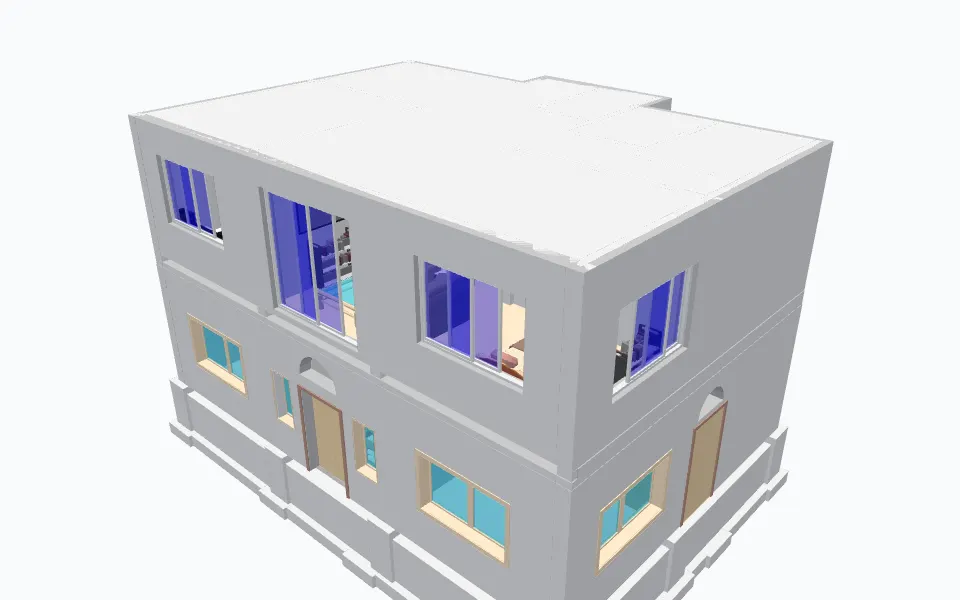
Example row: a wall, ID 138062
and 63 more parameters in this row.
Model: Duplex.rvt, buildingSMART International, CC BY 4.0 (source). Download the Excel result. Credits
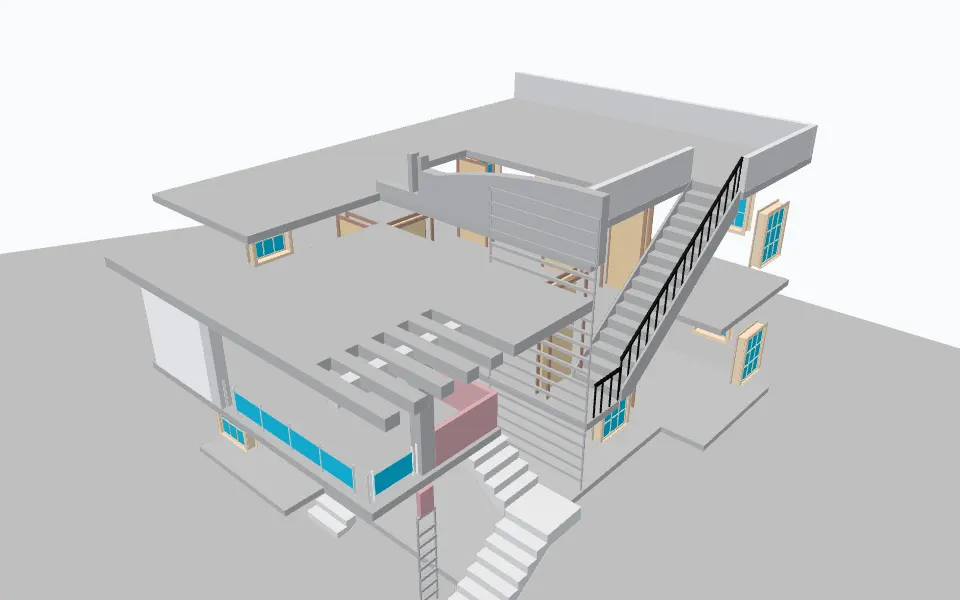
Example row: a wall, ID 5399
and 63 more parameters in this row.
Model: Duplex_A_20110907.ifc, buildingSMART International, CC BY 4.0 (source). Download the Excel result. Credits
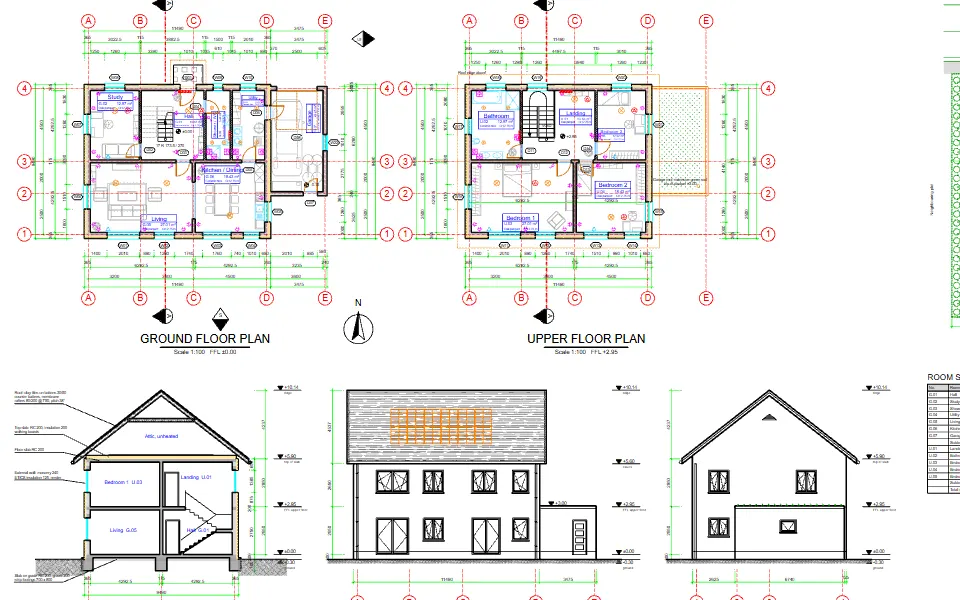
Redrawn from the XLSX rows only: 2,319 entities on 28 layers
Example row: A-GLAZ (INSERT), ID 400
and 36 more parameters in this row.
Model: DDC-Sample-House.dwg, our own sample (download). Download the Excel result. Credits
The converters
Each one reads one format without the software that made it and writes files you can open anywhere. Desktop app and command line, open source on GitHub with 531 stars.
Reads a Revit model without Revit: 3D geometry, every element with its saved parameters, and IFC4 with elements.xlsx, one row per element.
Revit 2019 to 2027, no Revit needed
Good for: Quantities, cost estimates, model checks
Saves a Revit model as IFC, the open BIM format, so people without Revit, or with an older Revit, can open it.
IFC4, no Revit needed
Good for: Coordination, handover, older Revit versions
Exports the 3D geometry of a Revit model as GLB for Blender, Unreal, Unity or the web, with node names equal to the element IDs.
Same download as Revit to Excel
Good for: Visualisation, game engines, web viewers
Turns an IFC model into one Excel workbook: objects, property sets and quantities on their own sheets.
IFC 2x3 and IFC4 from any BIM tool
Good for: Checking IFC deliveries, take-off
Lists everything in a DWG drawing in a spreadsheet: lines, blocks, layers, attributes, lengths and areas, plus DXF and SVG drawings.
DWG R13 to 2018, no CAD software needed
Good for: Counting blocks, layer audits, drawing data in BI
Prefer to stay in Excel? The DDC add-in opens Revit, IFC and DWG data right in a workbook, with ready-made take-off and check tables.
Free, for Office 64-bit or 32-bit
Good for: Estimators and engineers who live in Excel
Choose what you have and what you need. If we cannot do it, the answer says so and why, so you never download the wrong thing.
By downloading you agree to the Terms of Use and EULA. Free for personal use and for companies up to 10 conversions a month.
How it works
Point the converter at a Revit file. It reads the RVT without Revit, an account or a network connection and writes the results next to it. Command line or desktop app: same converter, same files.
Pick one RVT, a whole folder or a list. Choose where the results go.
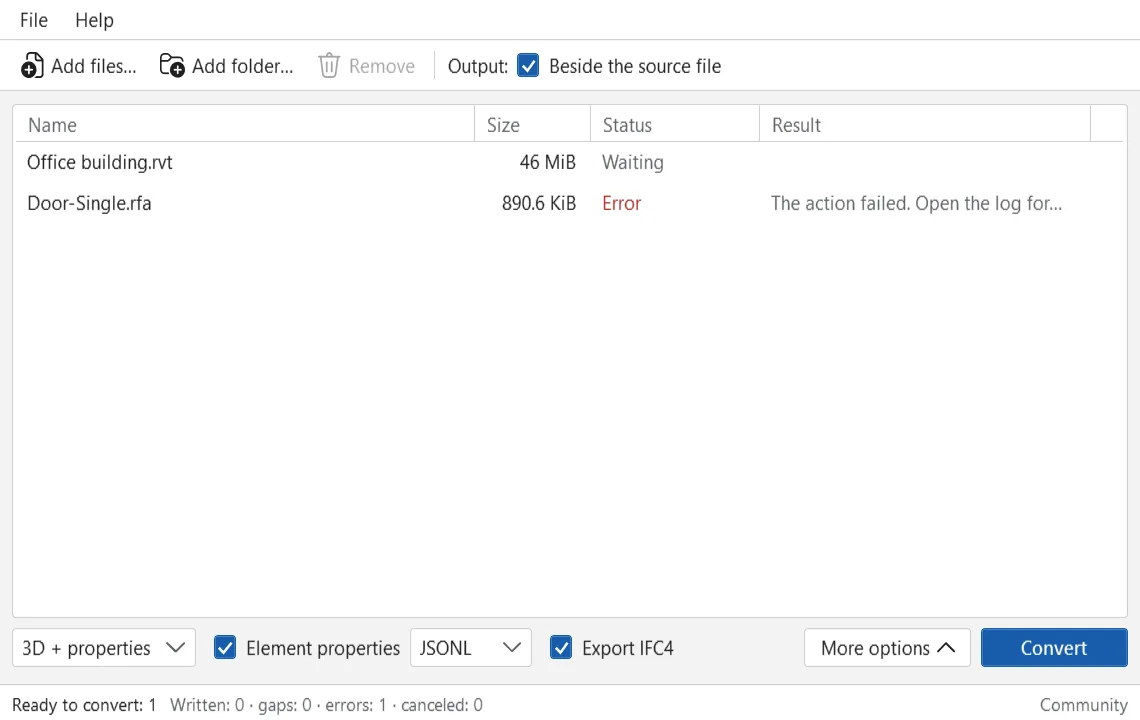
The model is read directly. Revit is not needed and does not open.
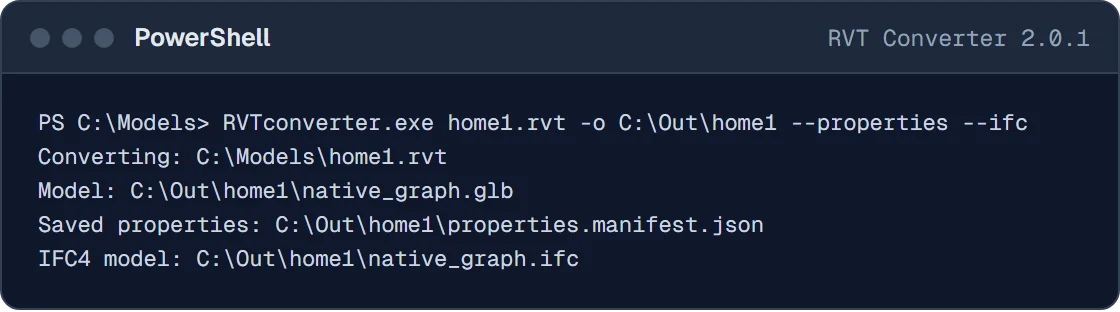
One row per element, one column per parameter: walls, doors, windows and floors with their sizes, areas and volumes.
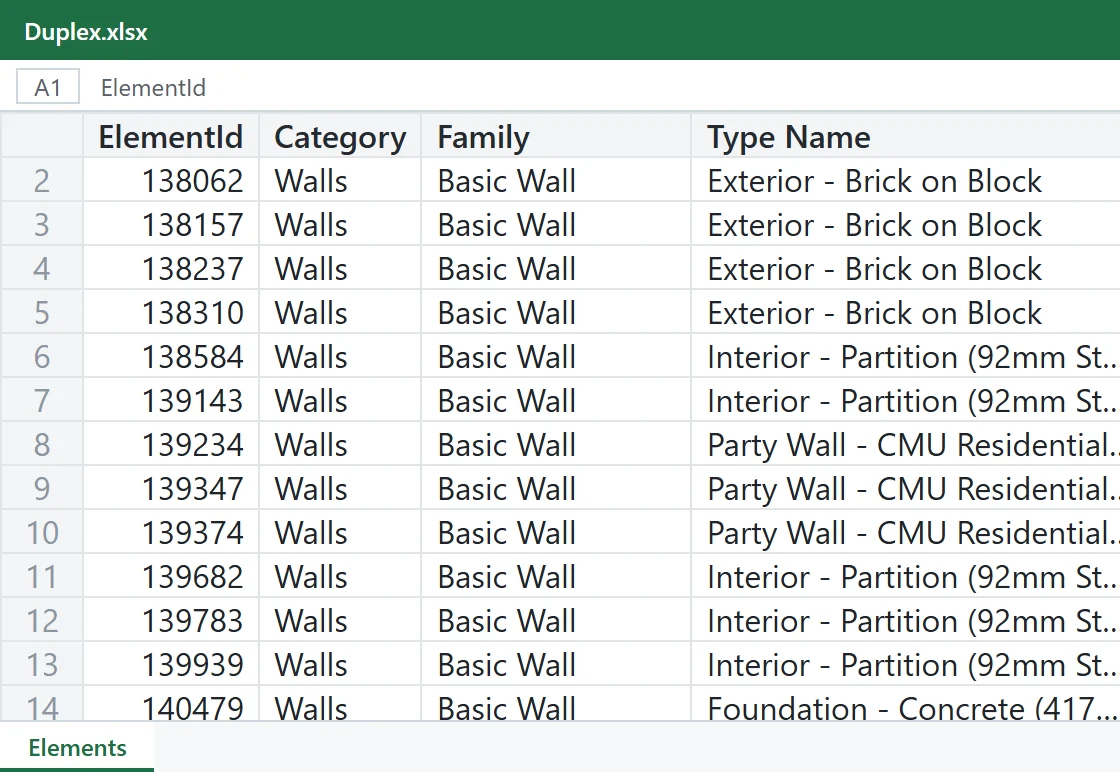
What you get
The first rows of real exports, as they open in Excel: one row per element, one column per parameter. For Revit, the GLB geometry carries the same ElementId, so table and 3D stay linked.
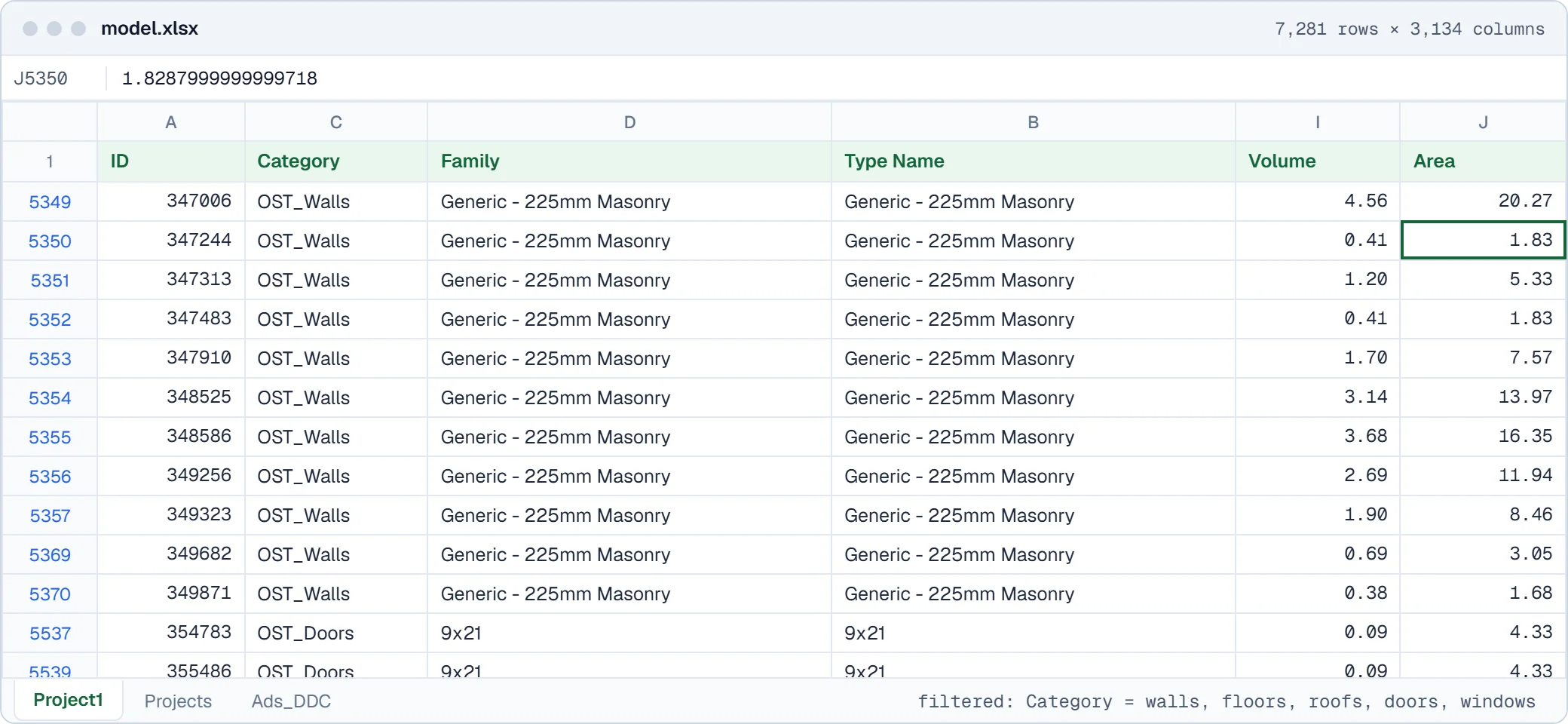
Volume and Area are read from the RVT, no Revit involved.
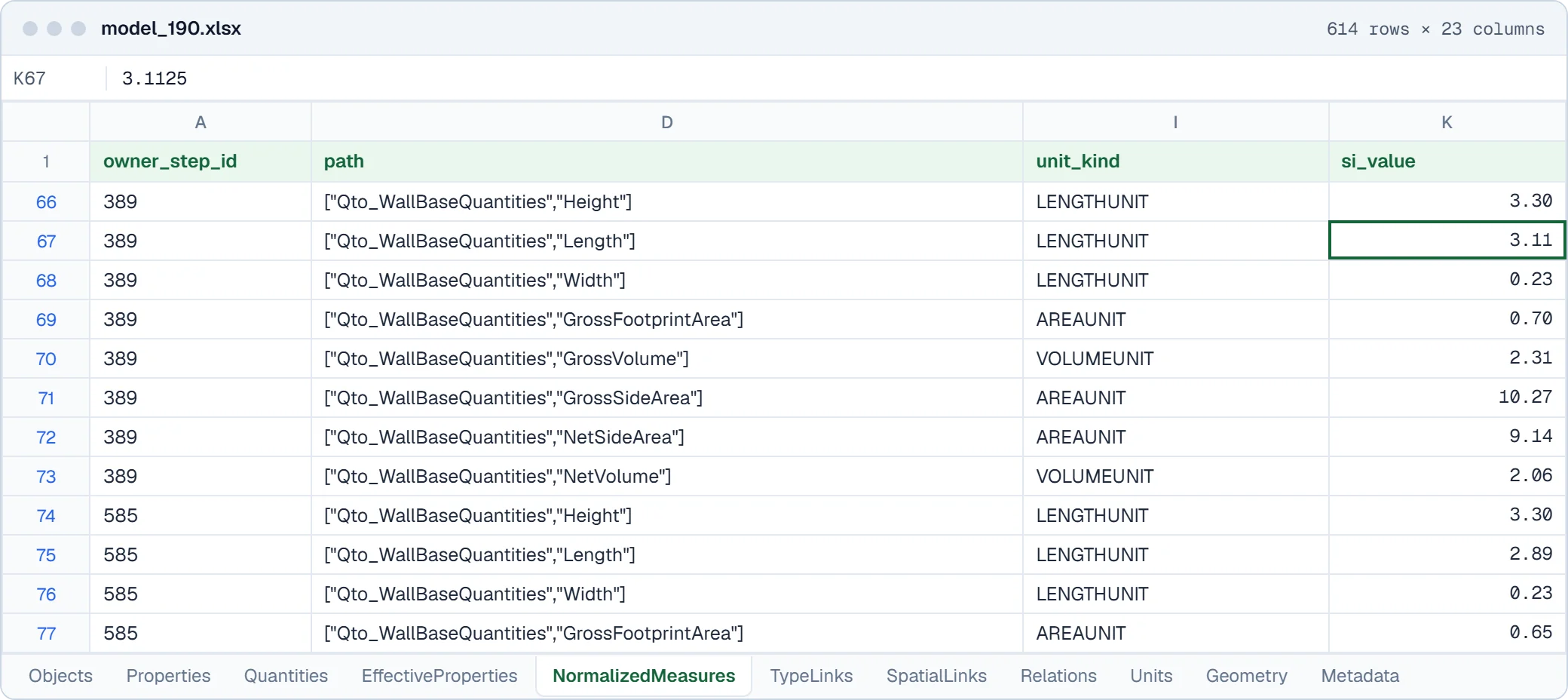
Objects, properties, quantities and links between them, each on its own sheet. Shown: the properties of walls and doors.
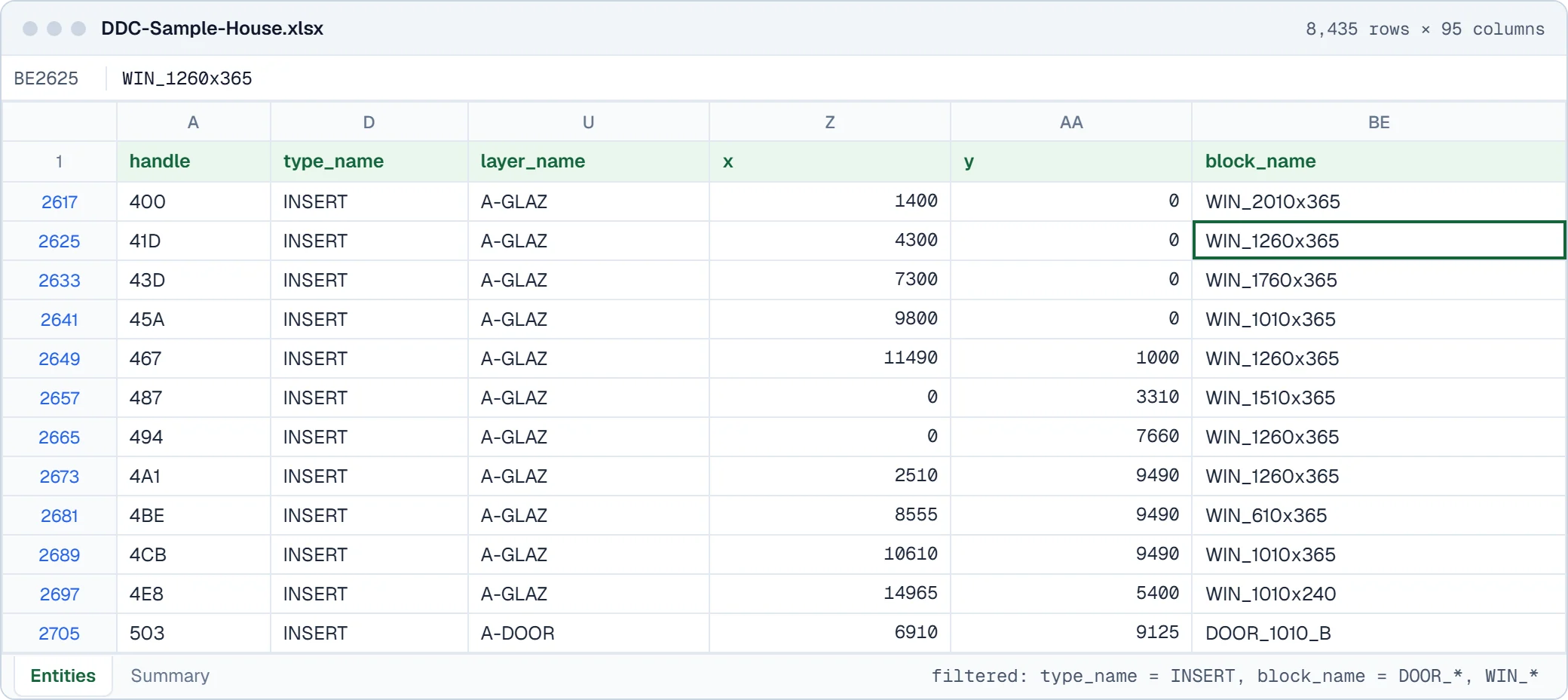
Every entity is one row, keyed by its DWG handle.
Reviews
From people who use DDC tools in their projects, published unedited.
Revit and IFC reports that used to take me almost weeks to create are now updated in just a few minutes. I was able to quickly understand what the DataDrivenConstruction did and thus extend and modify it to fit projects. The DataDrivenConstruction team showed me examples of blocks and scripts that can automatically generate PDF, XLSX, and DOCX files that mark errors/defects in the model. Additionally, we also now do automatic checks for IFC structure, file naming, etc.
 Daniel GloberBIM-Manager, SCHOLZE-THOST GmbH
This is a fantastic tool, haven't seen one like this in a long time. In this era, we have countless tools and methods for creating models, drawings, tables, and other forms of data. The DDC Excel plugin provides me with the capability to manage information in alternative ways.
 Jānis DzenisBIM Coordinator, Merks, SIA
Licence
Both convert the same way. The licence is bought once, has no ad page, has no monthly limit and includes 12 months of updates. The version you have keeps working forever.
Community
Freeno time limit
Licence
Pay onceno subscription, price on request
Questions
What people ask a Revit converter to do, and what this one does. Where the answer is no, we say so and point to what works instead.
All questionsYes. RVTconverter.exe reads RVT projects and RFA families saved with Revit 2019 to 2027 and writes IFC4, without a Revit licence.
The IFC4 has property and quantity sets and profiles for the full model, coordination or geometry only, with units, origin and category filters.
RVT projects and RFA families saved with Revit 2019 to 2027, regardless of the Revit version you own. Files saved with Revit before 2019 are not supported.
IFC 2x3 and IFC4 models become one Excel workbook per model: objects, property sets, quantities, relations and units on their own sheets, linked by element, for example the area of every room or the volume of every wall. The Duplex sample house gives 11 sheets with 345 objects. DWG from R13 to 2018 becomes XLSX, CSV and JSONL tables of entities, layers, block attributes, lengths and areas, plus DXF and SVG drawings. Neither needs the authoring software.
IFCXML is not supported. If a DWG object type cannot be read yet, the converter says so instead of dropping it silently.
IFC to ExcelCAD Drawing to ExcelCompare CAD and BIM to Excel
No. It is a free download that runs on your own Windows computer. Files are never uploaded, so models under NDA stay on your machine.
For a team service, run the command line version on a server you control or in your own cloud, which helps with rules such as GDPR.
The Community version is free for personal use and for companies up to 10 conversions a month; an ad page may open after conversions. For client work or more conversions there is one licence: bought once, perpetual use of the version you have, 12 months of updates, no ads and no limits. The price is quoted on request.
Yes. The DDC Excel add-in opens RVT, IFC and DWG inside Excel for quantity take-off, parameter checks and grouping. Open n8n workflows chain conversion, validation, QTO reports and exports to databases or dashboards, offline and repeatable.
No. RVT files cannot be saved back to an older Revit, by us or by Revit. What we do: read any file from 2019 to 2027 without the matching Revit and export it as GLB, JSONL, IFC4 or an Excel table.
To hand a model to someone on an older Revit, send IFC. Every Revit version can link or open IFC.
No. We do not write DWG; Revit itself exports views and sheets to DWG. From a Revit file you get the geometry as GLB, the saved parameters as JSONL, the model as IFC4 and, with it, an Excel table of the elements, all without Revit.
No. DWG files become XLSX, CSV and JSONL tables plus DXF and SVG drawings, for DWG versions R13 to 2018, without CAD software. There is no 3D or IFC output from DWG.
Free Community version
Download the converter, point it at an RVT, IFC or DWG file and open the result next to it. Revit 2019 to 2027, no Revit installed, nothing uploaded.
Windows 10/11 x64Freeruns offline
Licence, team setup or a file that does not convert?
Artem Boiko or an engineer from the DDC team replies by e-mail.
Cookies for statistics?
With your consent we use Google Analytics to see which pages help visitors. It sets cookies and sends usage data to Google. You can change this any time under "Cookie settings" at the bottom of every page. Details