
n8n workflows · MIT licence
n8n workflows that run the converters and process the tables
Ready n8n pipelines that convert RVT, IFC and DWG models, check them against your rules, estimate cost and CO2 and send the report to the team. Free, open, and running on your own computer.
What you need
- n8n, self-hosted (one
npxcommand) - The DDC converters; Windows for the .exe builds
- A folder with RVT, IFC or DWG files
Workflows under MIT, converters under the EULA. Files stay on your computer unless you configure an outside LLM.
- open workflows on GitHub
- 9
- templates on n8n.io
- 13
- template views
- 13,600+
In the repository
The nine workflows
Each one is a JSON file you import into n8n, or open as a ready template on n8n.io.
- 01
Basic conversion
ProducesXLSX (+ DAE or PDF from the converter)
- 02
Revit conversion with all settings
ProducesXLSX, DAE, schedules, PDF sheets
- 03
Batch conversion with validation and reporting
ProducesXLSX per file, report
- 04
Multi-format validation
Producesvalidation result
your rules live in one Excel table
- 05
Classification with an LLM and RAG
Producesclassified elements
needs an LLM endpoint you configure
- 06
Price estimation with an LLM
Producesestimate table
needs an LLM endpoint you configure
- 07
CO2 footprint estimator
ProducesCO2 estimate
- 08
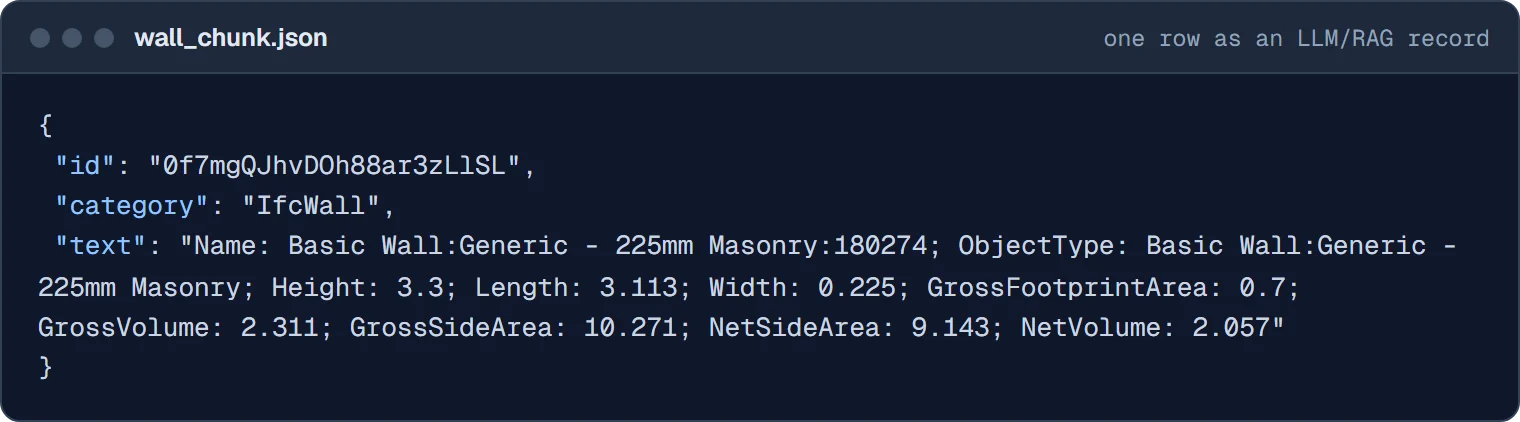
Extract phase for LLM use (ETL)
Producesparsed XLSX data
- 09
Quantity take-off HTML report
ProducesHTML QTO report
Workflows 5 and 6 send element data to a language model that you configure in n8n. Use a local model if the data must not leave your network.
Set up
Start n8n and import a workflow
n8n runs from Node.js and opens at localhost:5678. Import a JSON file from the folder above, set the converter path and your input folder, and run it.
Three things that trip people up
- n8n 2.0 and later hide the Execute Command node: set
NODES_EXCLUDE=[]before starting. - n8n 1.98.0 to 1.101.x block the
osmodule; use the latest release. - Give the converter absolute paths to input and output files.
# allow the Execute Command node (n8n 2.0+)
> $env:NODES_EXCLUDE = "[]"
> npx n8n@latest
# then open http://localhost:5678 in the browser
> ddc convert "C:\Projects\Building.rvt"
C:\Projects\Building_rvt.xlsx
C:\Projects\Building.converted\native_graph.glb
ETL
What an ETL pipeline is, in construction terms
Extract, Transform and Load. Every workflow above follows these three steps, and so does the manual routine it replaces: open the model, copy numbers into a spreadsheet, rebuild the report by hand.
Extract
The converter opens RVT, IFC or DWG files and writes their elements and parameters to XLSX, without the authoring software.
Transform
pandas or n8n nodes clean, filter, validate and group the rows: missing parameters, wrong classes, quantities by type and level.
Load
The result goes where people use it: an Excel or PDF report, a chart, a database or a data warehouse.
Why automate it. Manual work varies with fatigue and oversight, does not scale to hundreds of files and takes hours each time. A pipeline runs the same rules on every file and gives the same result twice.
After the conversion
The data tools that read the output
The converted files are ordinary tables, so the most widely used data tools work on them directly.
pandas
Read the XLSX into a DataFrame with
pd.read_excel, then filter, group and export. From a closed CAD or BIM format to a table in a few lines of code.Jupyter and Kaggle notebooks
Public notebooks show the full path on real files: a Revit sample project and a DWG drawing analysed with ChatGPT.
ChatGPT and other LLMs
A language model with a Python tool can load the XLSX with pandas and answer questions about the model in plain language, or write the grouping and chart code for you.
Automate CAD/BIM workflows locally with n8n. Plays from youtube-nocookie.com after you click.
Video
Walkthrough, start to report
Cloning the repository, starting n8n, running a conversion workflow and building a report from the result.
Same steps without n8n
The converter is one command per file, so a PowerShell loop or a Python subprocess call works too. Examples are in the RVT to Excel guide.
Workshops and custom pipelines
Need a workflow adapted to your data?
Artem Boiko has given data workshops and talks for engineering, construction and consulting teams in Germany and Norway. If you want the workflows adapted to your folders, rules or database, write to us with an example file and the result you expect.
It was a fantastic workshop with exciting content that we, and I personally, learned a lot from. Thank you for taking so much time for us. We look forward to trying out what we learned as soon as possible and incorporating it into our projects!#bleedingedge
 Lukas FuchsBIM Manager, international construction consultancy