
RVTXLSXDAEPDFRvtExporter.exe
Revit® to Excel: every element and parameter, without Revit
RVT and RFA files from Revit 2015 to 2026 become an XLSX with one row per element.
DDC_Converter_Revit_v28052026.zip210 MBWindows 10/11 x64Linux .debno Autodesk licence needed2015 to 2026: Revit versions, RVT and RFA
By downloading you agree to the Terms of Use and EULA. Community licence: personal and research use. Commercial licence: request a quote.
RvtExporter.exe from the command line. How to convert · Request a quote| ID | Category | Type | Level | Area | Volume | |
|---|---|---|---|---|---|---|
| 176804 | OST_Floors | Generic 150mm | Level 1 | 105.906 | 15.886 | |
| 198694 | OST_Walls | SIP 202mm Wall - conc clad | Level 2 | 22.355 | 4.516 | |
| 198749 | OST_Walls | Wall - Timber Clad | Level 1 | 6.010 | 1.214 | |
| 418183 | OST_Floors | Generic 300 | Level 2 | 100.493 | 30.148 | |
| 422466 | OST_Doors | 800 x 2100 | Level 1 | 2.965 | 0.109 | |
| 457479 | OST_Windows | Standard | Level 2 | 5.519 | 0.154 | |
| 2,490 more rows, 1,021 more columns in the file | ||||||
Click any element, see its full data row
Each sample below is a real RVT file run through the converter. Click a wall, a door or a slab and the panel shows its row from the XLSX, every parameter included.
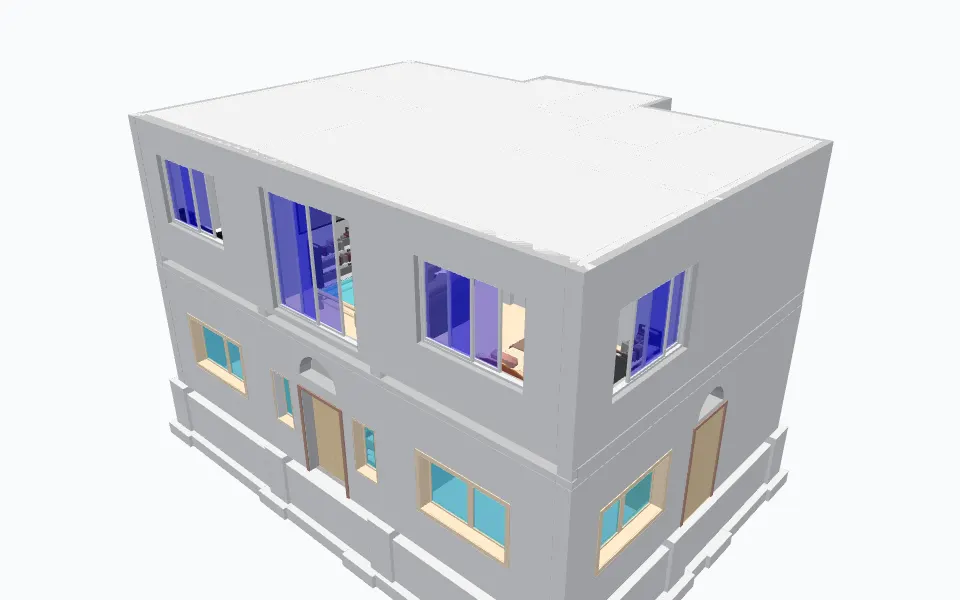
Example row: a wall, ID 312947
- Type Name
- brick 10" wall
- Category
- OST_Walls
- Family
- brick 10" wall
- Volume
- 184.98
- Area
- 201.79
- Length
- 24.67
- Name
- brick 10" wall
- Base Constraint
- BASE
and 76 more parameters in this row.
Sample: home1.rvt, Sudhir Yadav (GitHub: ammysid9), MIT, from github.com. Attribution.
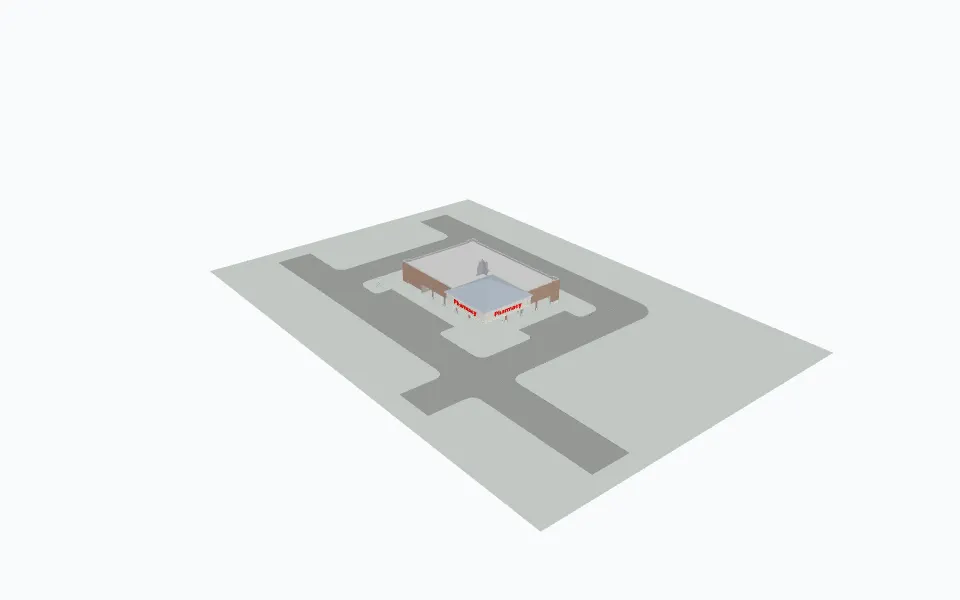
Example row: an outside wall, ID 146898
- Type Name
- Exterior - Brick on Mtl. Stud
- Category
- OST_Walls
- Family
- Exterior - Brick on Mtl. Stud
- Volume
- 1721.9
- Area
- 1489.44
- Length
- 103.7
- Name
- Exterior - Brick on Mtl. Stud
- Base Constraint
- Finished Floor
and 86 more parameters in this row.
Sample: Retail Big Box_Example.rvt, Chris Balbach (GitHub: chrisbalbach), MIT, from github.com. Attribution.
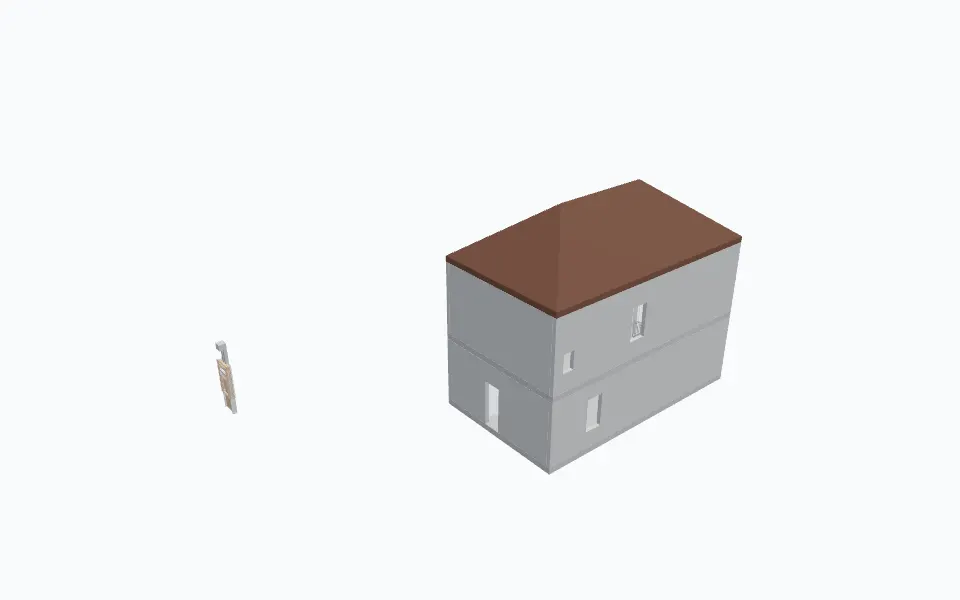
Example row: an outside wall, ID 1619929
- Type Name
- Concrete - 200mm
- Category
- OST_Walls
- Family
- Concrete - 200mm
- Volume
- 8.24
- Area
- 41.18
- Length
- 11800
- Name
- Concrete - 200mm
- Base Constraint
- L2
and 74 more parameters in this row.
Sample: Simple Structure Model_Concrete, Steel, CLT.rvt, Istiqlal Aurangzeb (GitHub: IstiqlalBhat), MIT, from github.com. Attribution.
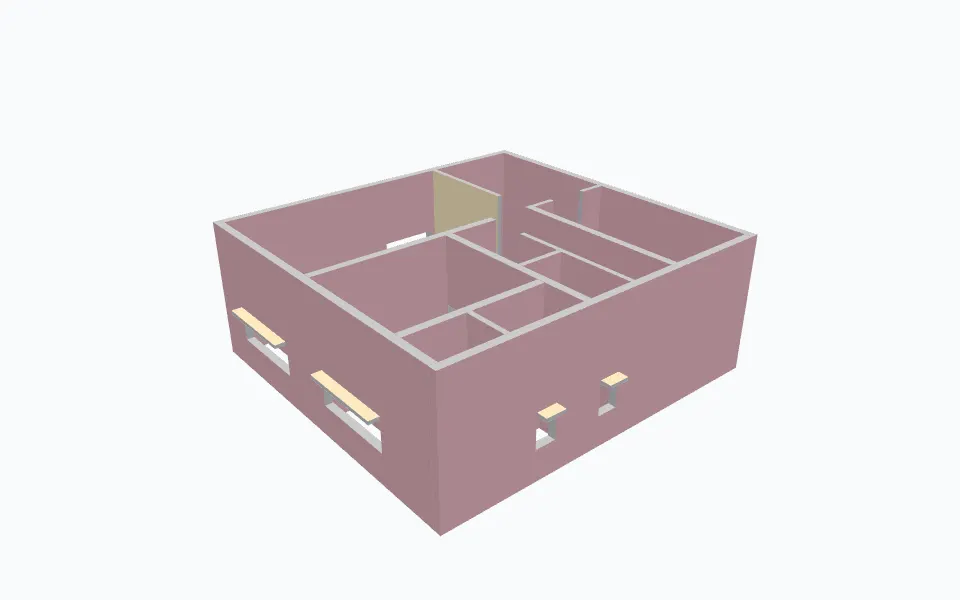
Example row: an outside wall, ID 364838
- Type Name
- Wall-230mm
- Category
- OST_Walls
- Family
- Wall-230mm
- Volume
- 320.45
- Area
- 424.67
- Length
- 10133.2
- Name
- Wall-230mm
- Base Constraint
- Level 1
and 70 more parameters in this row.
Sample: revit-architectural-bim-project.rvt, Tapiwanashe Frederick Phiri (GitHub: Tapskingg), MIT, from github.com. Attribution.
What you get
One row per element, one column per parameter
Columns are the union of all parameters in the file. Empty cells mean the element has no such parameter.
Columns of the table above, with real values
| Column | Example | What it holds |
|---|---|---|
| ID | 176804 | Revit element ID, the same ID as in the DAE |
| Category | OST_Floors | Revit category, internal OST_ name |
| Type | Generic 150mm | Type name |
| Level | Level 1 | Level the element is hosted on |
| Area | 105.906 | Area parameter as stored in the model |
| Volume | 15.886 | Volume parameter as stored in the model |
Values from the first row of 2023 racbasicsampleproject_rvt.xlsx.
Output files
<name>_rvt.xlsxElements and parameters. Written next to the source file..daeCollada geometry with element IDs. Skip with--no-dae.SchedulesEvery Revit schedule, with--schedules.PDFSheets as PDF, with--sheets-to-pdf.
In short
- XLSX with elements as rows and parameters as columns.
- DAE (Collada) geometry whose element IDs match the spreadsheet rows.
- Optional bounding boxes (
--bbox), rooms (--rooms), every Revit schedule (--schedules) and sheets as PDF (--sheets-to-pdf). - Four export modes with
--mode: basic (309 categories), standard (724), complete (1,209) or custom from your own category list.
--sheets-to-pdf; --no-xlsx or --no-dae skip a file.Real output
The output, as it opens
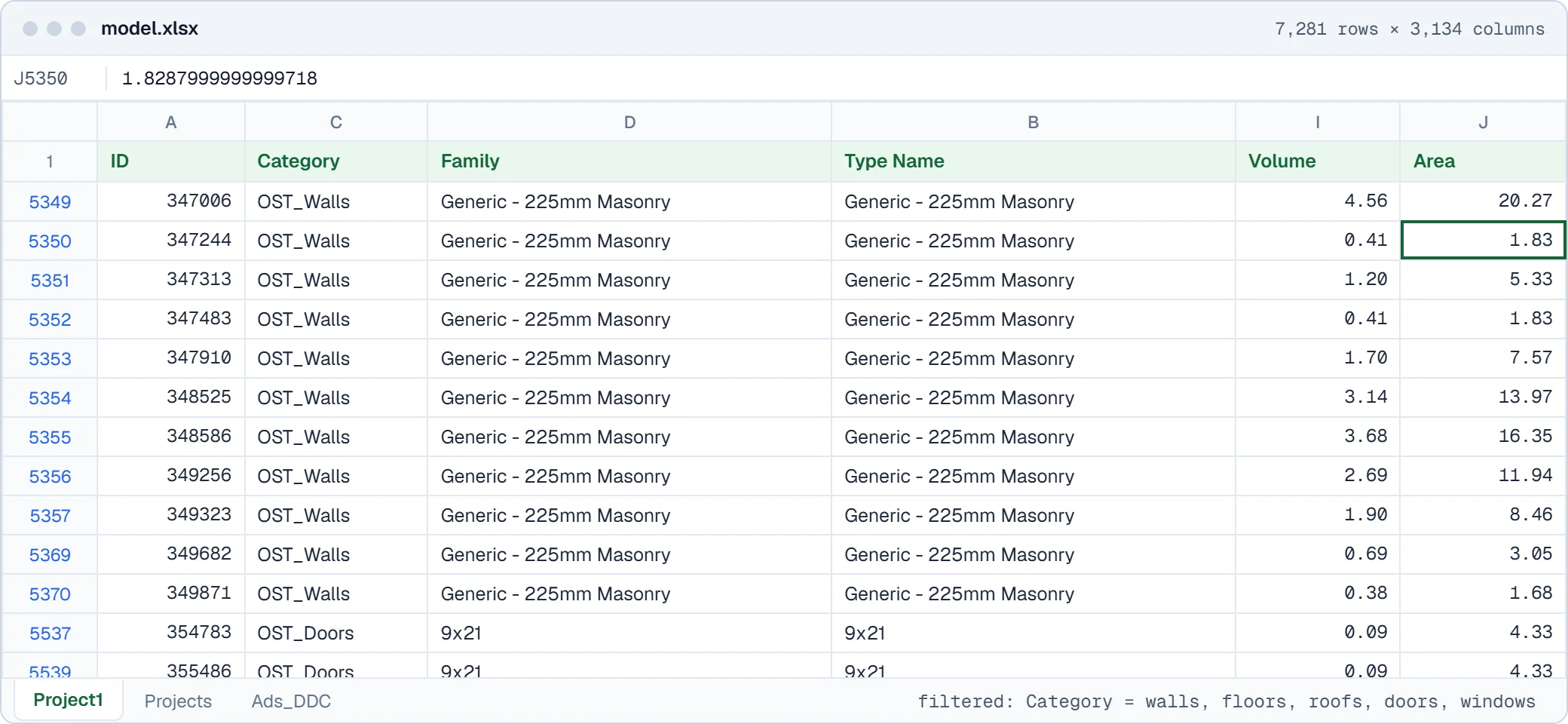
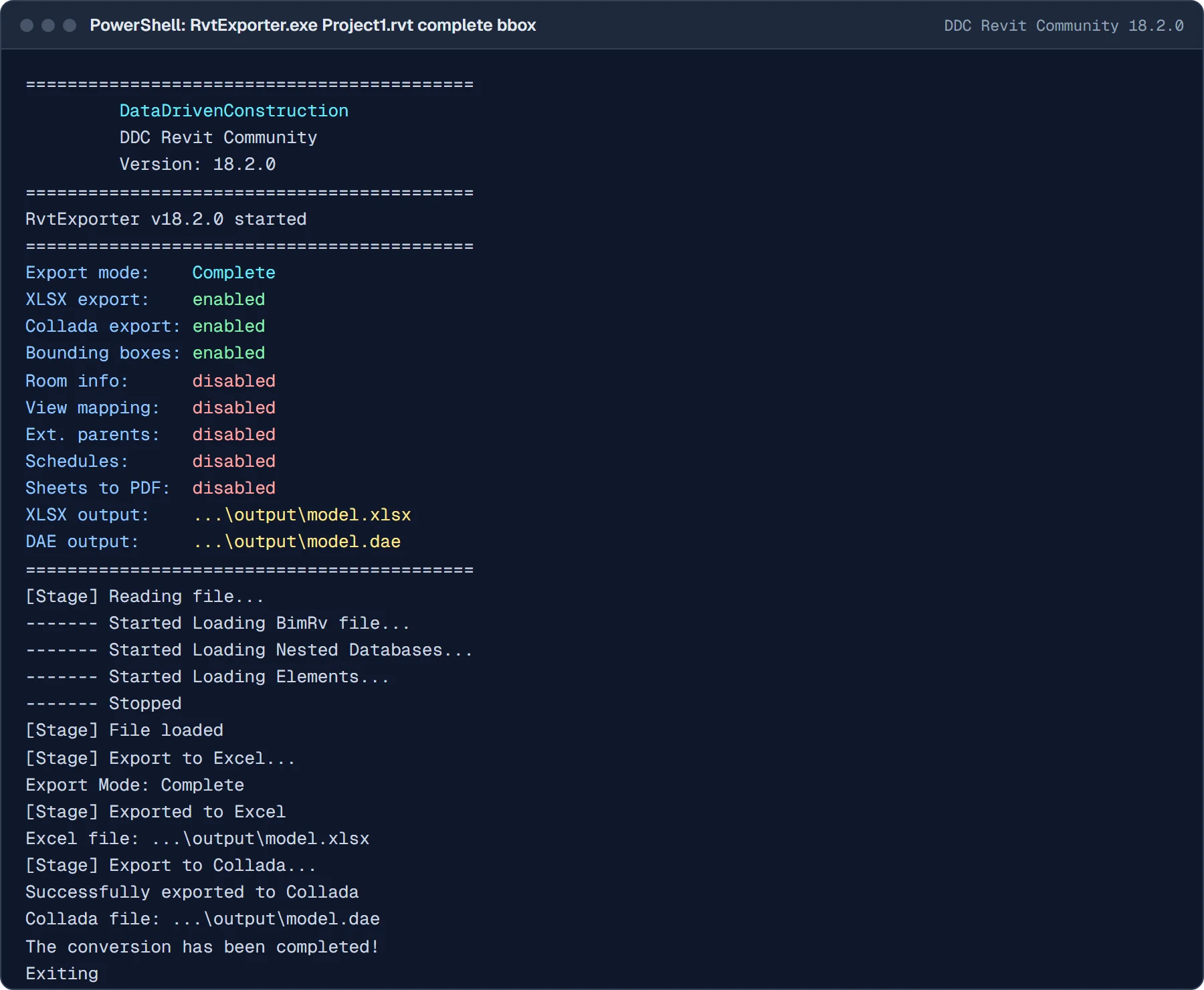
In practice
Revit to Excel, step by step on a real file
One real run of the free Community version on home1.rvt: the window, the files it writes and the result opened in Excel. Click a step to see it, click the image for full size.
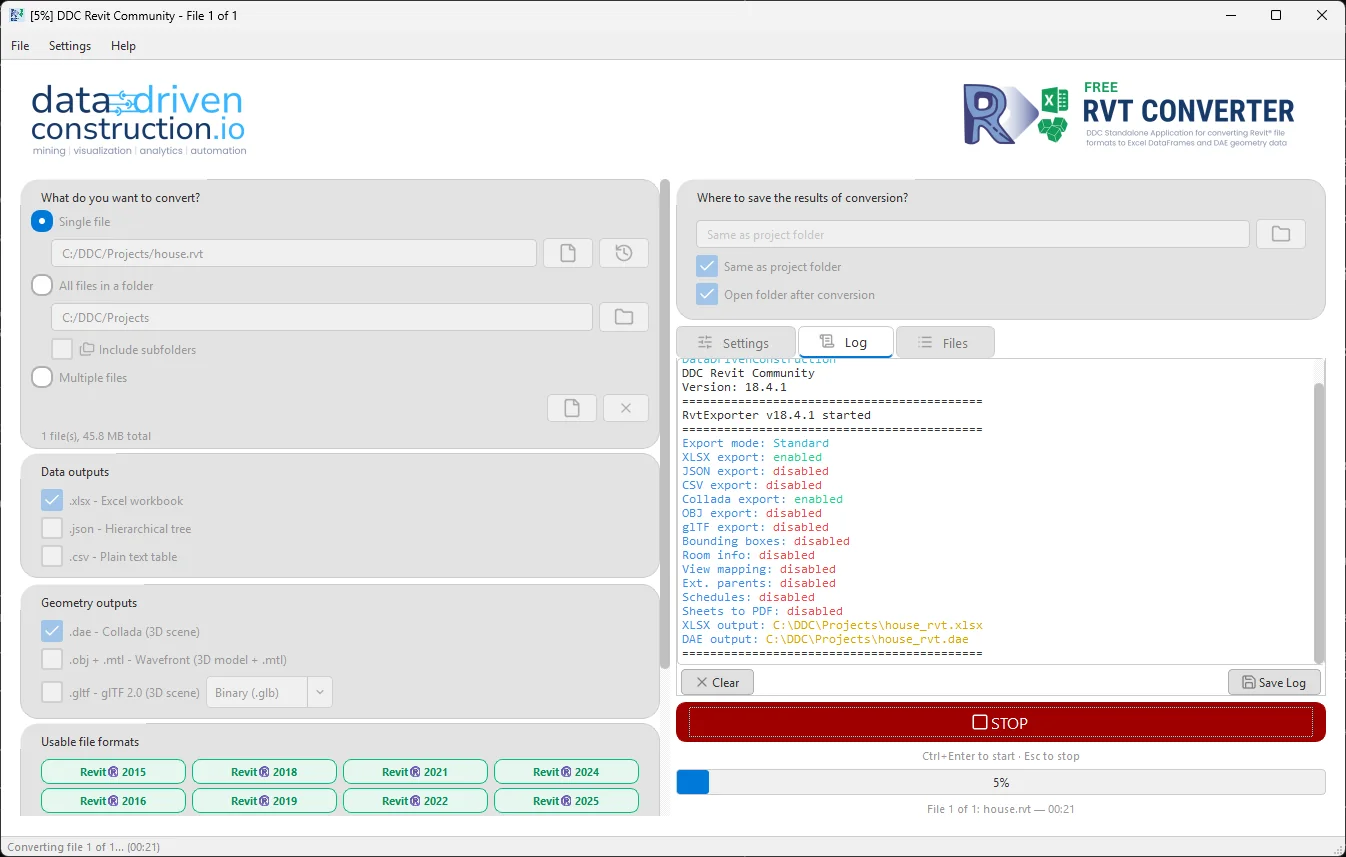
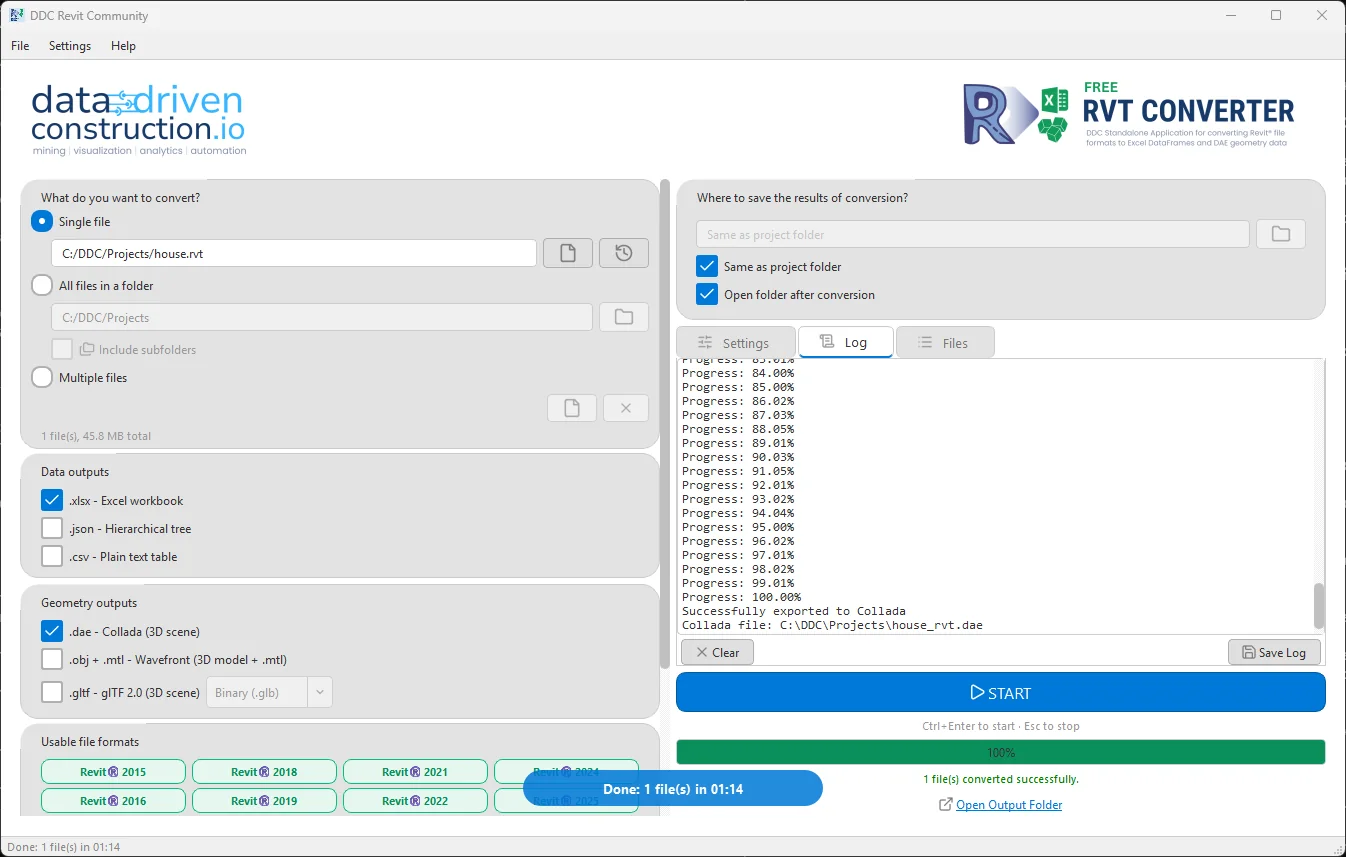
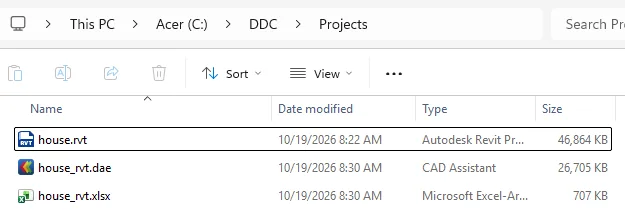
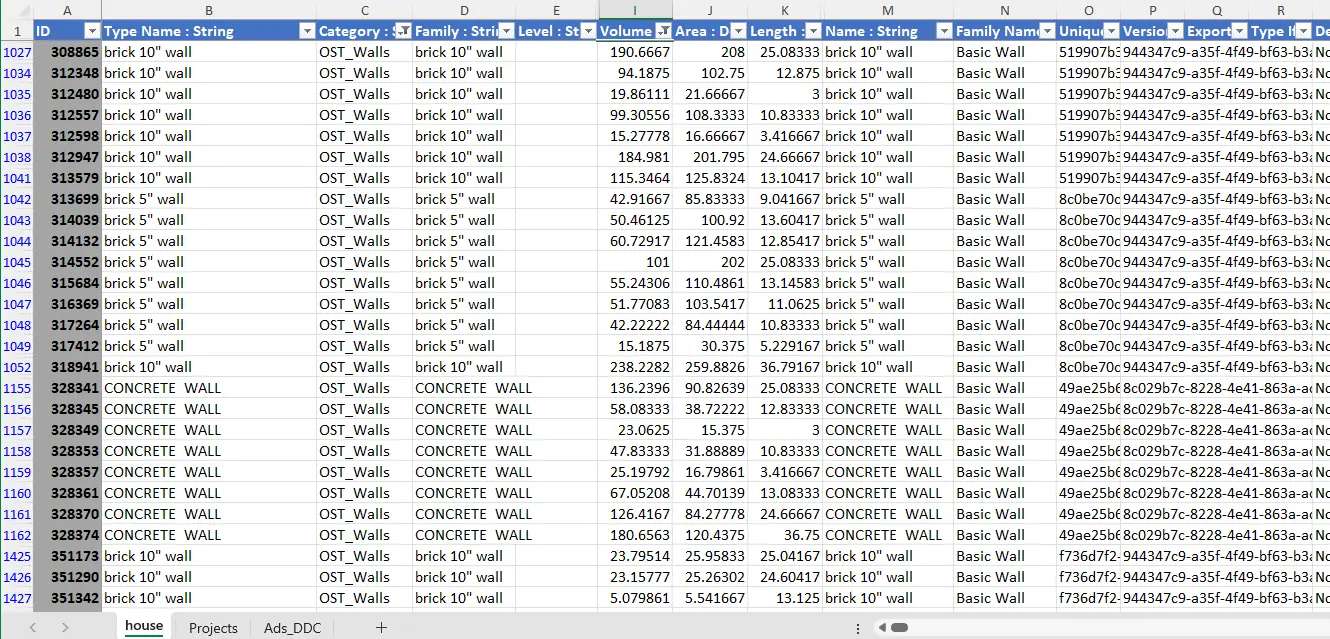
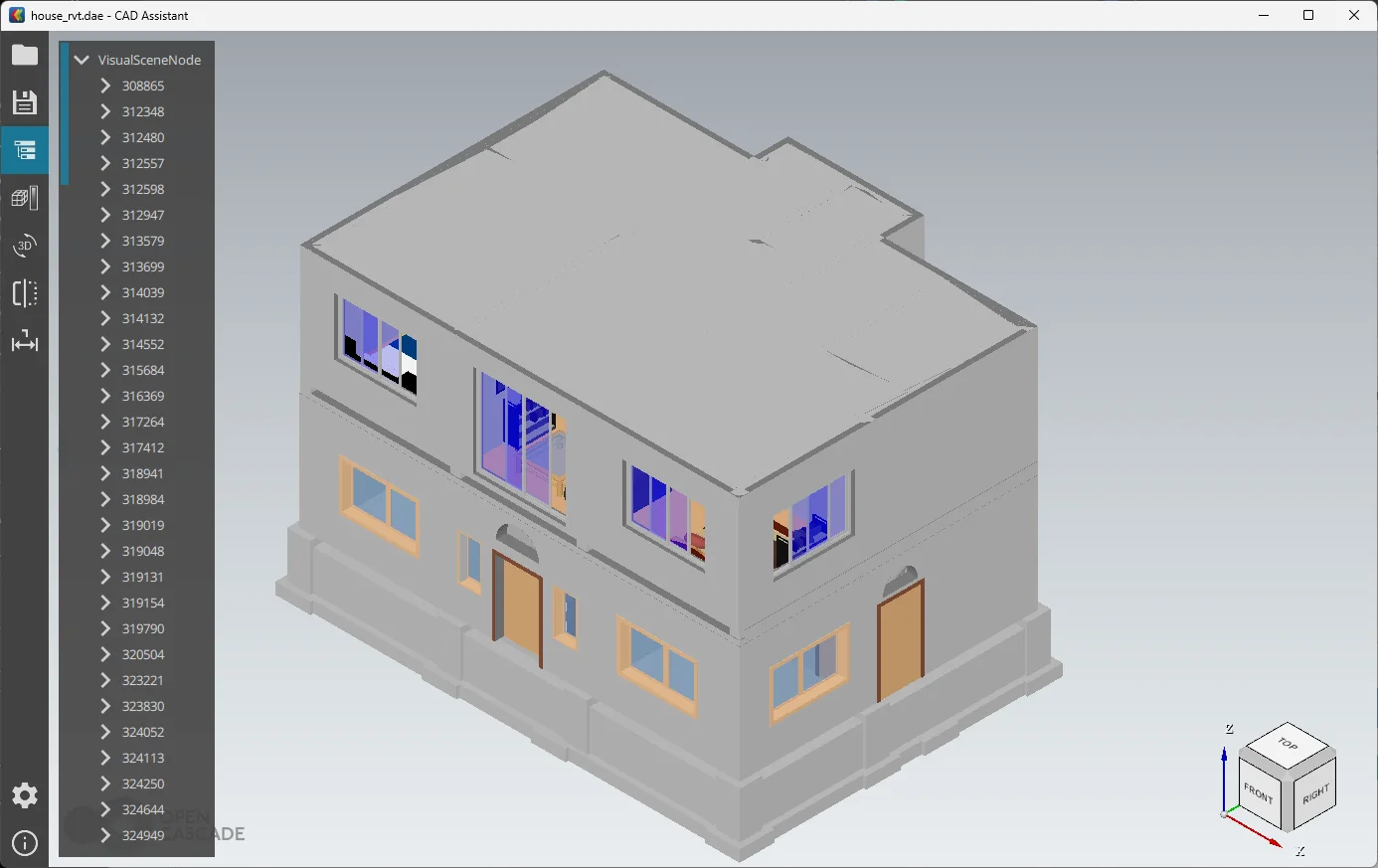
Sample file: home1.rvt by Sudhir Yadav (MIT), saved as house.rvt.
How to convert
Convert from the window, PowerShell or Python
RvtExporter.exe gives the same XLSX and DAE and PDF output from the window, PowerShell or Python. Start with the window, then put the command in a batch file, a script or an n8n workflow.
In the window
- Install the Microsoft Visual C++ Redistributable 2015-2022 (x64) if it is missing.
- Unzip the download.
- Start the GUI, choose the RVT files or a folder and the export mode.
- Press Start. XLSX and DAE appear next to the source file.
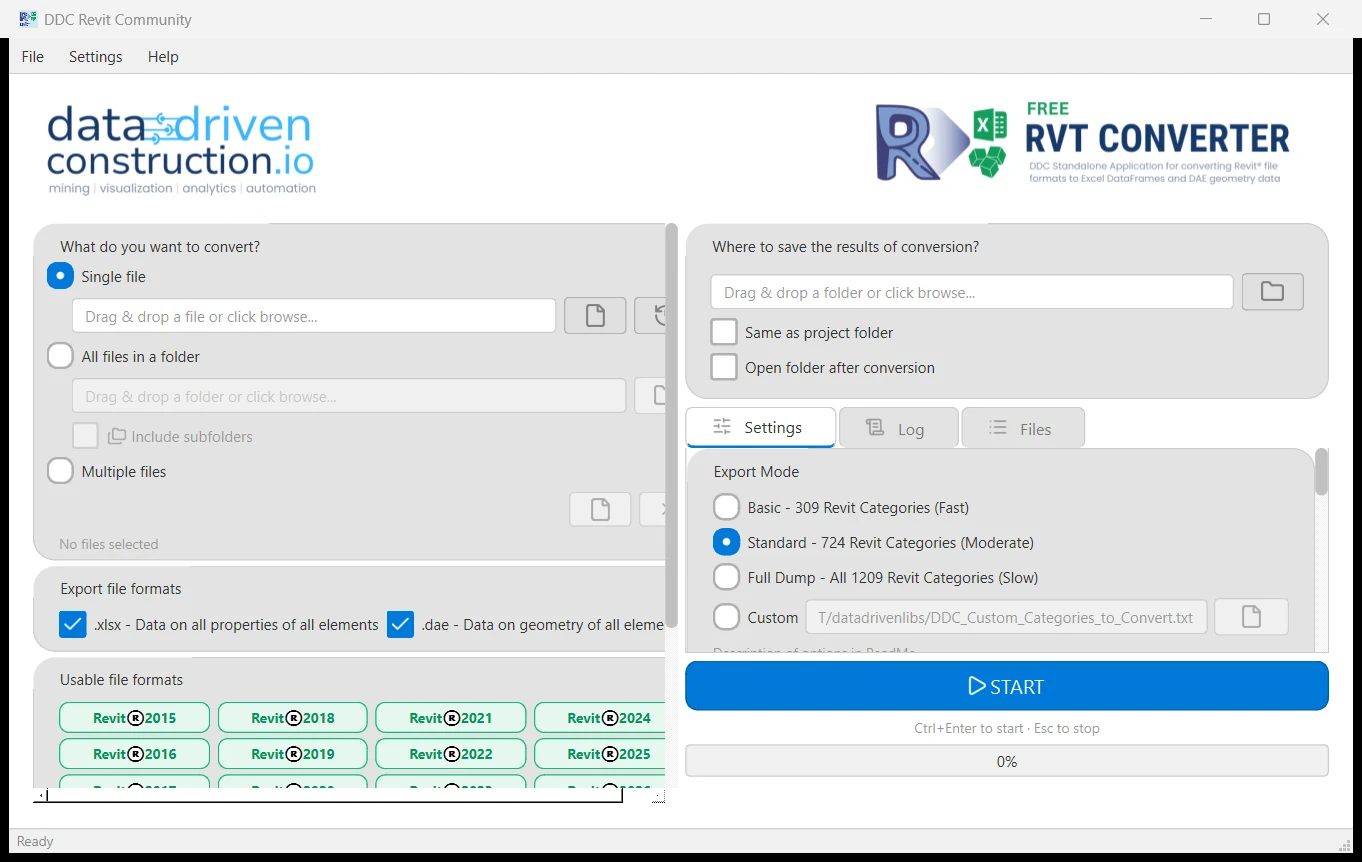
Command line options, version 18.4.1
--mode basic|standard|complete|customHow many categories go in: 309, 724, 1,209, or your own list--categories FILECategory list for the custom mode--bboxBounding box of every element as columns--roomsRoom data--schedulesEvery Revit schedule in the model--sheets-to-pdfSheets as PDF files--no-xlsx / --no-daeSkip the spreadsheet or the geometry--xlsx PATH / --dae PATHWrite the files somewhere else than next to the model
# all 1,209 categories, bounding boxes, schedules, PDF sheets
> RvtExporter.exe "C:\Projects\Building.rvt" --mode complete --bbox --schedules --sheets-to-pdf
import subprocess, pathlib
for f in pathlib.Path(r"C:\Projects").glob("*.rvt"):
    subprocess.run(["RvtExporter.exe", str(f), "--mode", "standard"], check=True)
> echo "deb [trusted=yes] https://pkg.datadrivenconstruction.io stable main" | sudo tee /etc/apt/sources.list.d/ddc.list
> sudo apt update && sudo apt install ddc-rvtconverter
Folders of files, nightly runs, checks and reports: n8n workflows that call the converters.
Before you download
Formats, versions and options
Supported versions and formats
- Input
- .rvt and .rfa, Revit 2015 to 2026
- Output
- XLSX (elements, parameters), DAE (Collada) geometry, PDF sheets
- Export modes
--modebasic 309, standard 724, complete 1,209 categories, or custom with--categories FILE- Options
--bbox--rooms--schedules--sheets-to-pdf--no-xlsx--no-dae- Platforms
- Windows 10/11 64-bit (GUI and CLI), Linux (.deb)
- Revit needed
- No
More on files from older and newer releases: reading Revit 2015 to 2026 RVT files. Need DWG? What to use instead of RVT to DWG.
Compatibility and requirements
- Reads Revit 2015 to 2026 RVT and RFA files. Earlier versions are not supported.
- Extracts data and geometry. RVT files are not converted between Revit versions; exchange IFC instead.
- Windows 10/11 64-bit (GUI and CLI) and Linux (.deb). No macOS build.
- Community licence: personal and research use. Commercial use needs a licence.
Have an unusual file? Send it to our team.
Reviews
Reviews and a walkthrough
Revit and IFC Converter: The Future of Data Handling in Construction. Plays from youtube-nocookie.com after you click.
Revit and IFC reports that used to take me almost weeks to create are now updated in just a few minutes. I was able to quickly understand what the DataDrivenConstruction did and thus extend and modify it to fit projects. The DataDrivenConstruction team showed me examples of blocks and scripts that can automatically generate PDF, XLSX, and DOCX files that mark errors/defects in the model. Additionally, we also now do automatic checks for IFC structure, file naming, etc.
 Daniel GloberBIM-Manager, SCHOLZE-THOST GmbH
 Video
More videos on Revit to Excel
Short walkthroughs recorded with the same converters. Videos play from youtube-nocookie.com after you click. All videos on YouTube
-
Claude Code + Revit/DWG/IFC: AI Agent Builds Quantity Takeoff and Dashboards From One Sentence
One prompt in Claude Code converts a Revit file with the DDC converters, builds a quantity takeoff, then processes five more files into one dashboard. No Revit on the machine.
2026
-
Revit and IFC validation in seconds: Streamline Data Validation in CAD BIM Projects
Validating Revit and IFC data in the converted tables, without opening the authoring software.
2024
-
30 Revit Charts with 4 ChatGPT Prompts
A Revit project converted with the free DDC converter, then statistics, tables and 30 charts from four ChatGPT prompts.
2024
-
Quick QTO from CAD (BIM) Using ChatGPT and Pipeline: Ready Table in a Minute
A quantity takeoff table from converted CAD (BIM) data with ChatGPT and a short pipeline, in about a minute.
2024
-
Tables and charts from Revit in one click: Workflow and Pipeline with CAD (BIM) data
Tables and charts from a Revit model in one run of a pipeline on the converted data.
2024
-
Revit vs. Excel: The Battle for Quick Data Filtering: Group data from CAD (BIM) in DDC Excel
Filtering and grouping Revit data: in Revit itself, and in Excel with the DDC Excel add-in.
2024
Which Revit versions can it read?
RVT projects and RFA families saved with Revit 2015 to 2026. Files from before Revit 2015 are not supported.
Working across Revit versions
The converter reads RVT files of any version from 2015 to 2026 and exports the data to Excel, IFC or DAE. It does not rewrite RVT files for another Revit version. To hand a model to someone on an older Revit, exchange IFC.
Do I need Revit installed?
No. The converter reads RVT and RFA files without Revit and without an Autodesk licence.
What is one row in the Excel file?
One Revit element. Columns are its parameters, plus ID, category, type and level.
Can it read families (RFA)?
Yes. RFA files are exported the same way as project files.
Is this an online converter?
No. It is a download that runs on your Windows or Linux computer, or on your own server. Files are never uploaded, so confidential projects stay on your machine.
Is it free for commercial work?
The Community version is free for personal and research use. Commercial use, processing files for third parties, SaaS or redistribution needs a commercial licence. Request a quote on the licence page.
Related
Other converters, same table shape
- RVTIFCRevit to IFC converter
Standalone RVT to IFC export for openBIM coordination, with export modes and a custom config.
- RVTDAEXLSXRevit to DAE converter
Collada geometry for visualisation and game engines, with element IDs that match the parameter table.
- IFCXLSXDAEIFC to Excel converter
Every element with its property sets as a table, and geometry as Collada.
- DWGXLSXPDFDWG to Excel converter
Entities, layers and block attributes from DWG drawings as an Excel table, with PDF sheets on request.
Not sure which one? Versions, outputs and command line for every input, side by side.
Compare all convertersFree Community version
Turn your next RVT file into XLSX
One row per element, one column per parameter, plus Collada geometry with matching element IDs. Free Community version, runs on your computer.
210 MBWindows 10/11 x64Linux .debruns offline
Licence, team setup or a file that does not convert?
- E-mailinfo@
datadrivenconstruction.io - FormContact form
- CallBook a call
After the conversion
Where your model data goes next
- Open-source software OpenConstructionERP Use the quantities in estimates and projects Estimating, BOQ, quantity take-off from CAD and BIM, tenders, site tasks and reports in one self-hosted install. Open source (AGPL-3.0), no vendor lock-in, your data stays on your server. openconstructionerp.com
- Consulting and workshops DataDrivenConstruction Have it set up with your team Our international team builds converter pipelines, automated model checks and reports on your own project data, and runs hands-on workshops for engineers and estimators. datadrivenconstruction.io
Product updates
New converter builds, in your inbox
- New releases and important fixes for the RVT, IFC and DWG converters
- New guides, n8n workflows and sample data
- Only when there is something new. Unsubscribe with one click.